Checks the inbox
Reviews customer messages, booking requests, quote questions, support issues, and warm leads.
A practical setup kit for small businesses that lose time, leads, quote requests, and follow-ups inside a messy inbox.
OpenClaw is required. If you already have it, run the Inbox kit setup file for Windows, Mac, or Linux. If not, use the free OpenClaw setup guide first, then run the Inbox setup file to create the SOPs, prompts, examples, memory rules, and approval boundaries your AI employee needs.
Digital download for OpenClaw users. Already installed? Run the Inbox setup file. New to OpenClaw? Use the free setup guide first. Want it configured for your real inbox workflow? Email support@fredbuilds.co.
The first AI employee should not run sales or handle every customer automatically. It should own a clear preparation workflow and stop before risky decisions.
Reviews customer messages, booking requests, quote questions, support issues, and warm leads.
Turns scattered messages into summaries, priorities, tasks, missing details, and draft replies.
Flags anything sensitive and waits for human approval before customer-facing commitments go out.
No developer puzzle. The kit turns plain business answers into a reusable OpenClaw inbox workspace.
A named Inbox AI Employee workspace with role, memory notes, SOPs, examples, and clear operating boundaries.
Prompts and checklists for summaries, urgency labels, missing details, draft replies, follow-ups, and daily review.
A practical risk matrix so refunds, pricing, promises, sensitive details, and unusual customer requests are escalated.
Use it as a review loop, not as blind automation.
This is a preview of the review surface FredBuilds can build around the kit. The €29 download includes the inbox workflow files, prompts, SOPs, and approval rules, not a live dashboard app.
These are real preview screens from the Inbox kit flow: setup questions, workspace creation, approval rules, and before/after inbox handling.
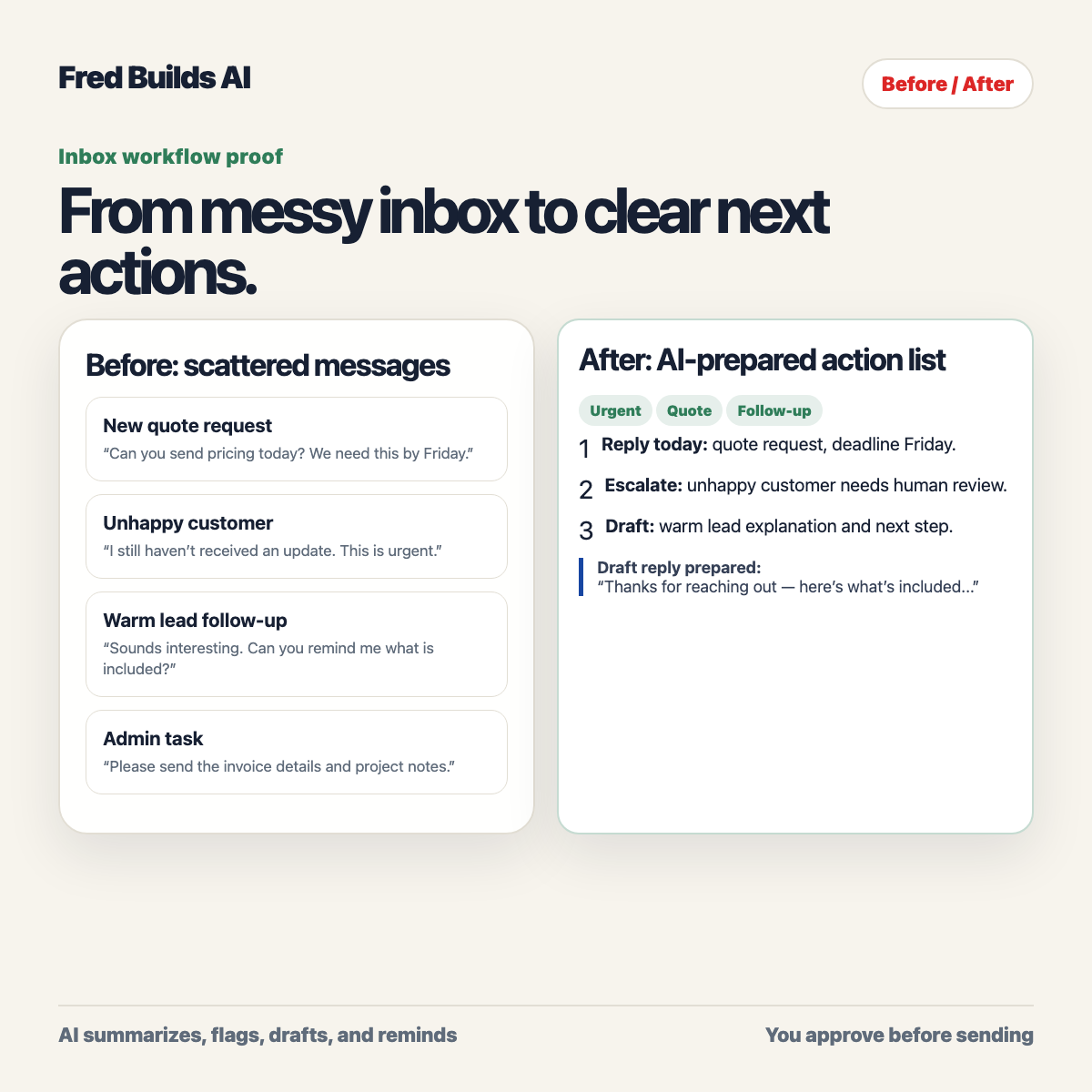
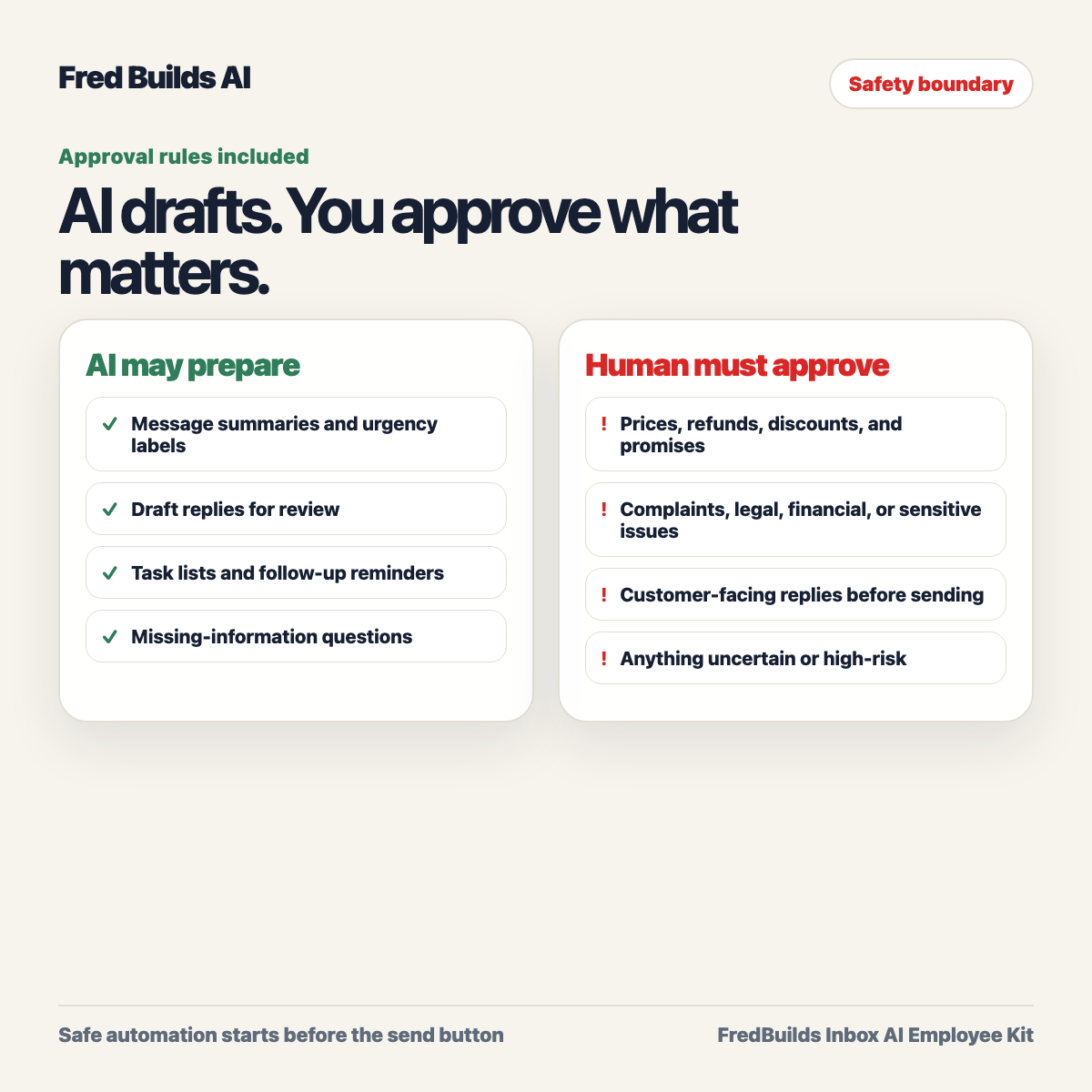
The kit is the starting point. If you want the Inbox AI Employee configured around your real messages, approval rules, and daily workflow, FredBuilds can help turn it into a working business setup.
€29 one-time digital download. Built for one small business inbox workflow.
The Proof Dashboard shown above is a product preview and done-for-you setup concept. It is not included as a working dashboard app in the €29 digital pack.
Includes bug fixes and minor v1.x updates. One buyer / one business license. Digital product; support-first refund policy for broken access, failed delivery, or materially different delivery.
Clear boundaries reduce refunds, confusion, and bad-fit buyers.
No. The dashboard shown on this page is a preview of the review layout FredBuilds can build around the workflow. The €29 kit includes setup files, SOPs, prompts, approval rules, worksheets, and examples. A working dashboard would be part of done-for-you setup or a future add-on.
No. The kit requires OpenClaw. If you already have OpenClaw installed, run the Inbox setup file there. If not, use the free OpenClaw setup guide first.
No. The kit is designed around preparation and human approval. It drafts, flags, and reminds. You decide what gets sent.
Small business owners, freelancers, consultants, agencies, local services, and ecommerce operators who lose time or leads in customer messages.
Buyers receive a delivery email with a license/order ID, a download link, version details, and setup instructions.
Email support@fredbuilds.co with your license/order ID. Support focuses first on fixing access, delivery, or setup problems. If the delivered product is materially different from what was promised, use the same support path for refund handling.
Yes. The kit is the starting point. If you want the inbox workflow configured for your real business, email support@fredbuilds.co with the subject “Done-for-you Inbox setup”.